
Blog
What Does the TOMORO Max Screen Show? A Simple Guide

Last Updated on September 25, 2026 by Digital
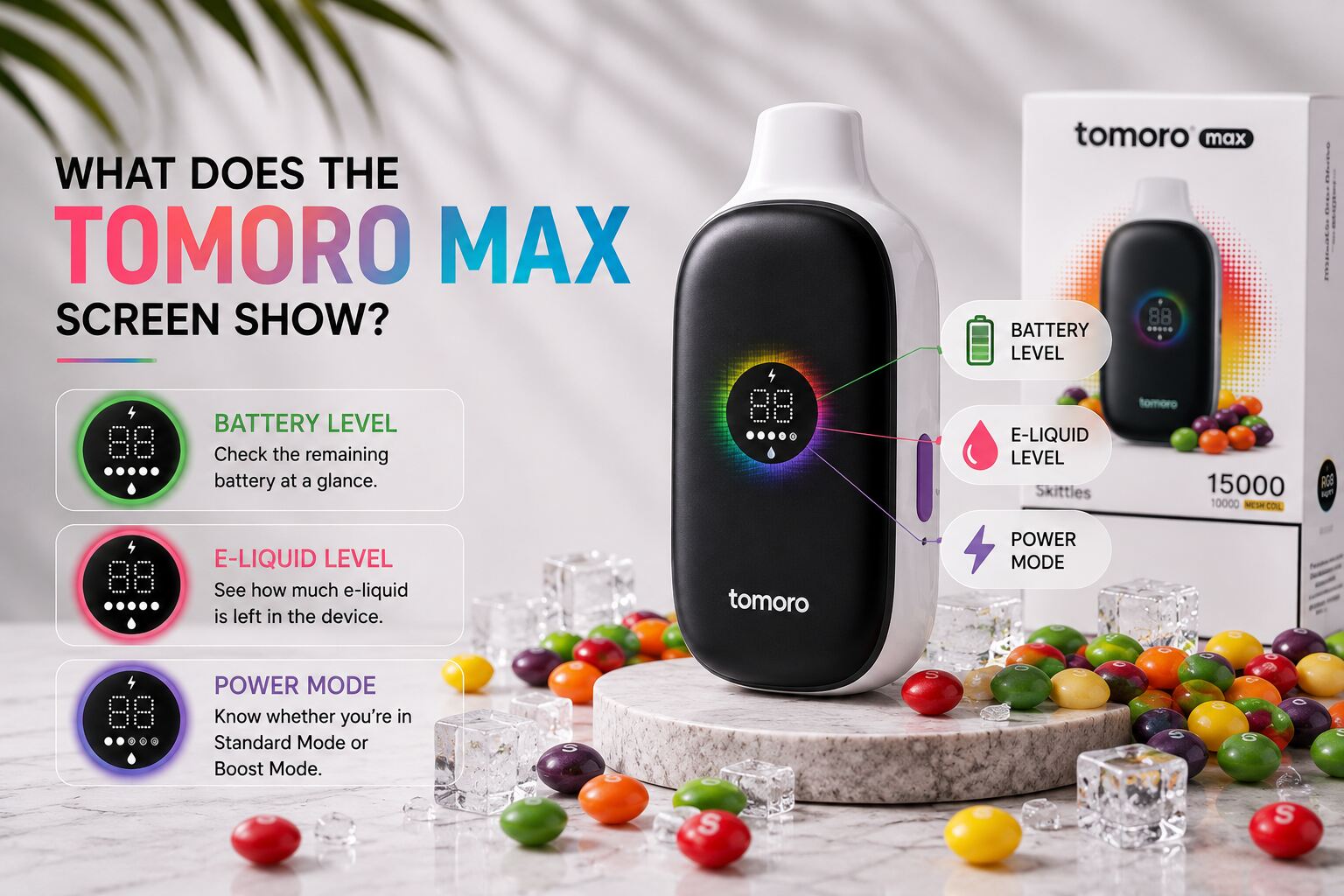
The TOMORO Max features a built-in colour display designed to make important device information easy to check at a glance.
Instead of guessing how much battery or e-liquid remains, users can look at the screen for a quick overview of the device status.
So, what exactly does the TOMORO Max screen show?
What Does the TOMORO Max Screen Display?
The TOMORO Max features a 24.2 × 24.2 mm colour display that provides three main types of information:
- Battery level
- E-liquid level
- Current power mode
These indicators make it easier to understand the status of the device while it is being used.
1. Battery Level
One of the most useful features on the TOMORO Max screen is the battery indicator.
The TOMORO Max uses a high-capacity internal battery designed to support the device throughout its intended lifespan. The screen lets you monitor the remaining battery level rather than waiting for the device to stop working unexpectedly.
This is particularly useful because the TOMORO Max is designed as a non-rechargeable device, so there is no charging port to plug in when the battery gets low.
For a closer look at the battery, Dual Mesh coil and other device specifications, see our TOMORO Max 15000 Puffs Guide: Features, Design and How It Works.
2. E-Liquid Level
The screen also provides an e-liquid indicator.
As you use the device, the indicator helps you estimate how much e-liquid remains.
This can be more convenient than traditional disposable devices without displays, where it may be difficult to know that the e-liquid is running low until flavour or vapour production begins to change.
Keep in mind that the indicator is intended as a convenient status guide rather than a laboratory-precise measurement.
3. Power Mode
The TOMORO Max also uses its screen to indicate the current power mode.
The device offers different output experiences, including its standard operating mode and Boost Mode.
When Boost Mode is activated, the device increases its power output to provide a stronger vaping experience with increased vapour and flavour intensity.
The visual interface also changes when Boost Mode is activated, making it easier to recognise which mode is currently in use.
Why Is a Vape Screen Useful?
A display may seem like a small feature, but it solves one of the common limitations of traditional disposable vape designs: uncertainty.
Without a screen, users often have to estimate when the battery or e-liquid is running low.
With the TOMORO Max display, you can quickly check the key information you need:
How much battery is left?
How much e-liquid remains?
Which power mode am I using?
Having this information visible on the device makes everyday operation more straightforward.
Does the TOMORO Max Screen Show Puff Count?
The TOMORO Max is rated for up to 15,000 puffs under specified usage conditions, but puff count should always be understood as an estimate.
The actual number of puffs can vary depending on draw length, frequency of use and the selected power mode.
For a closer look at how usage habits and power settings can affect device lifespan, see our How Long Does a 15000 Puff Vape Last? guide.
For example, using a higher-output mode can consume battery power and e-liquid differently from standard operation.
This is why the battery and e-liquid indicators are often more useful for monitoring the actual status of your device than relying only on the advertised puff count.
TOMORO Max Screen at a Glance
In short, the TOMORO Max screen shows battery level, remaining e-liquid and the selected power mode.
The 24.2 × 24.2 mm colour display gives users a simple way to monitor the device without having to guess how much capacity remains.
And if you have noticed the Boost Mode indicator on your TOMORO Max and are wondering what it actually does, we explain that feature in our next guide: What Is Boost Mode on the TOMORO Max?
